
Talent hunt registrations — form, share link and entries
Share one registration link and poster QR for your talent hunt, see where each entry came from, search entries and download them for Excel.
Contestants register on your talent hunt's public page. In MJX Events you share one link everywhere, and each entry tells you where the person found it.
#How to share your registration page
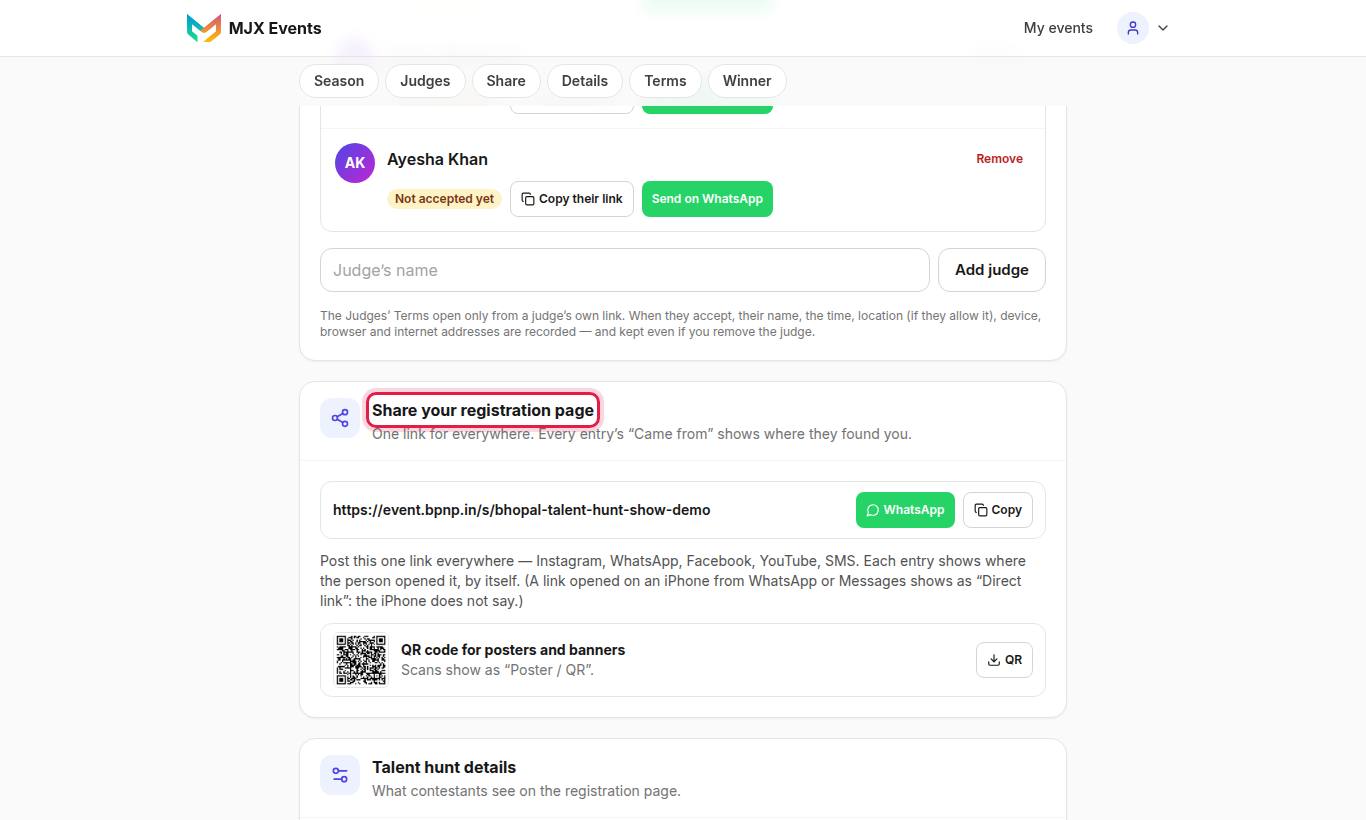
"Share your registration page — One link for everywhere. Every entry's “Came from” shows where they found you."
- Tap Copy or WhatsApp to send the link. "Post this one link everywhere — Instagram, WhatsApp, Facebook, YouTube, SMS."
- For posters and banners, use the QR code for posters and banners. "Scans show as “Poster / QR”."
A link opened on an iPhone from WhatsApp or Messages shows as "Direct link", because the iPhone does not say where it came from.
#What the form asks
The form has four steps: About you, Your talent, Your profiles, Review & submit.
| Field | Notes |
|---|---|
| Full name, WhatsApp number, Date of birth, City, Email | The age is worked out from the date of birth |
| Parent / guardian name, Their mobile number | Under 18 only, with the parent's consent tick |
| Pick your talent | Only the talents you ticked for the season |
| About your act | e.g. "a 3-minute Kathak piece to a Bollywood song" |
| Instagram and YouTube | Required; LinkedIn optional |
| Video of your act | Optional link that opens without a login |
| Your photo | Optional, JPG or PNG |
"Your answers are saved on this phone until you submit." Each entry gets a Registration number made from the show's initials, season and a number (e.g. MTS2-0007).
#How to see the entries
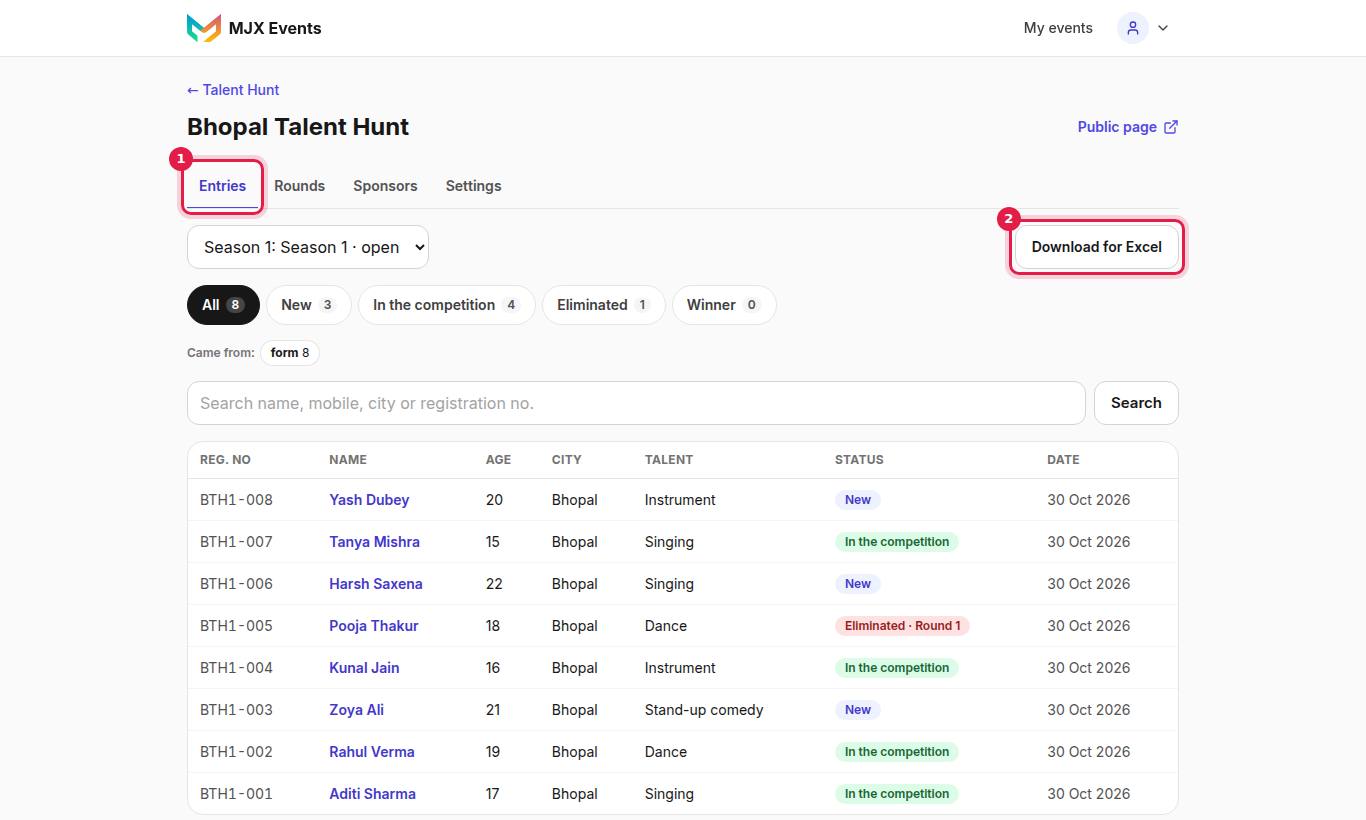
The Talent hunt entries list shows Reg. no, Name, Age, City, Talent, Status, Date and Came from. Search by "name, mobile, city or registration no."
Entries move through New → In the competition → Eliminated or Winner. Tap an entry for the details, photo, video, marks and consent.
#Download for Excel
Tap Download for Excel to get every entry, including date of birth and age.
#Deleting an entry
On an entry, Delete this entry — "For spam, or a contestant who asked to be removed. Their marks and photo are deleted too. This cannot be undone." Confirm with Delete for good.
#Limits and protection
- "Too many entries from one place. Please try again in an hour." — at most 20 entries per hour from one internet connection.
- "Registrations for this season have closed." — after the last date.
- "This show is not taking entries." — the form is closed.
#Questions people ask
Is there a fee for contestants?
No. There is no fee to fill in the form.
What stops one person from entering twice?
The same name and mobile in the same season gets the registration number they already have, not a second entry.
Who can see contestants' photos?
Only the talent hunt's organizers. Contestant photos are private.