
Attendees list, check-in by hand and CSV export
Search and filter every ticket of your MJX Events event, check guests in by hand, cancel or restore tickets, record sales and export a CSV.
Attendees is the full list of tickets for one event — online, printed and imported — with who bought each, whether it is sold and whether they are in. In MJX Events it is also where you check people in by hand and record counter sales.
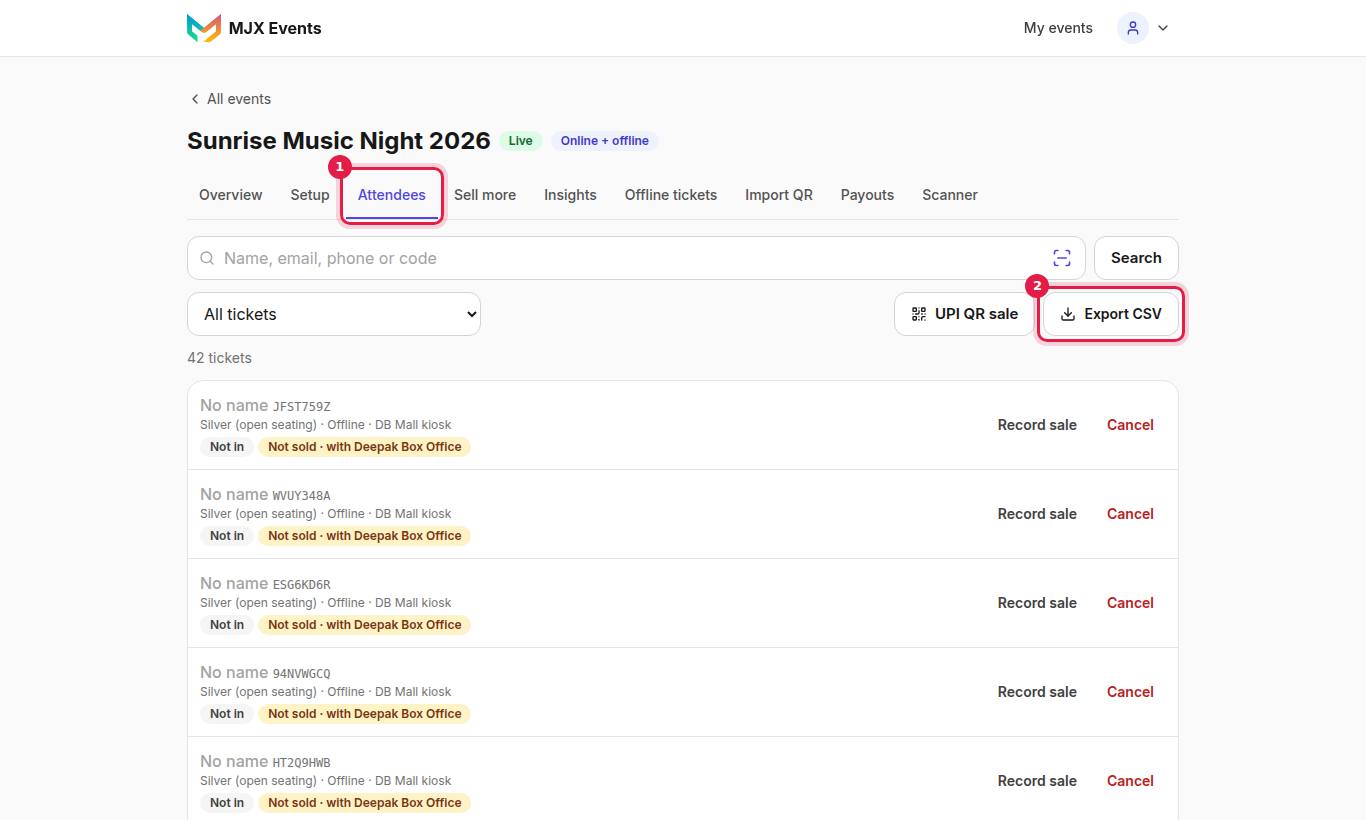
#Search and filters
Search by "Name, email, phone or code". Filters:
| Filter | Shows |
|---|---|
| All tickets | Everything |
| Sold (online + offline) / Sold online / Sold offline (printed + imported) | Sold tickets |
| Not sold yet (printed + imported) | Passes waiting for a sale |
| Checked in / Not yet in | Entry status (today, on a multi-day event) |
| Cancelled | Cancelled tickets |
| Online (incl. cancelled), All printed, Imported | By kind |
The list shows 50 tickets a page with Previous / Next.
#Actions on a ticket
| Button | What it does |
|---|---|
| Check in / Undo | Let someone in by hand, or take it back |
| Admit all N | A group pass: admit everyone left |
| Cancel | "Cancel ticket ABCD1234? It will be rejected at the gate." Frees the seat. |
| Restore | Undo a cancel (takes a seat again if one is free) |
| Record sale / Edit sale | Sell a printed or imported ticket — see Counter sales |
| Mark as unsold | Take a sale back (organizer) |
Each row shows what kind it is, for example "Sold · online", "Not sold" or "Imported · gets in without a sale", the seat ("Gold · Seat B-4"), the days used on a multi-day pass, and checkout answers.
#Scan a printed ticket to sell it
Tap Scan a printed ticket. It opens Record sale for that ticket. Messages: "That is an online ticket — it is already sold.", "That ticket is cancelled. Restore it first.", "No ticket of this event has that QR."
#How to export the list
Tap Export CSV. The file has every ticket (not just the current page), including:
- Name, email, mobile, ticket type, code, kind, sold or not, amount and payment method
- Persons and Admitted (people per ticket and how many are in)
- Valid on and Days used for day passes, Seat for seated events
- One column per checkout question
- The counter buyer's email, if given
#Questions people ask
Can I download the guest list to Excel?
Yes. Tap Export CSV on Attendees. It includes every ticket, and opens in Excel or Google Sheets.
Does cancelling a ticket refund the buyer?
No. Cancel only stops the ticket at the gate and frees its seat. It moves no money.
Why can't I check in a printed ticket by hand?
A printed pass that was never sold can't get in, not even by hand. Record the sale first.