
Event overview and Insights — sales, check-ins and sources
Read your event's live numbers in MJX Events — sold, revenue, seats left, check-ins per day and gate — and Insights on where buyers came from.
Every event has an Overview tab with live numbers for every plan, and an Insights tab with deeper charts on the Pro plan (by default). In MJX Events both read the same sales as Attendees and Payouts.
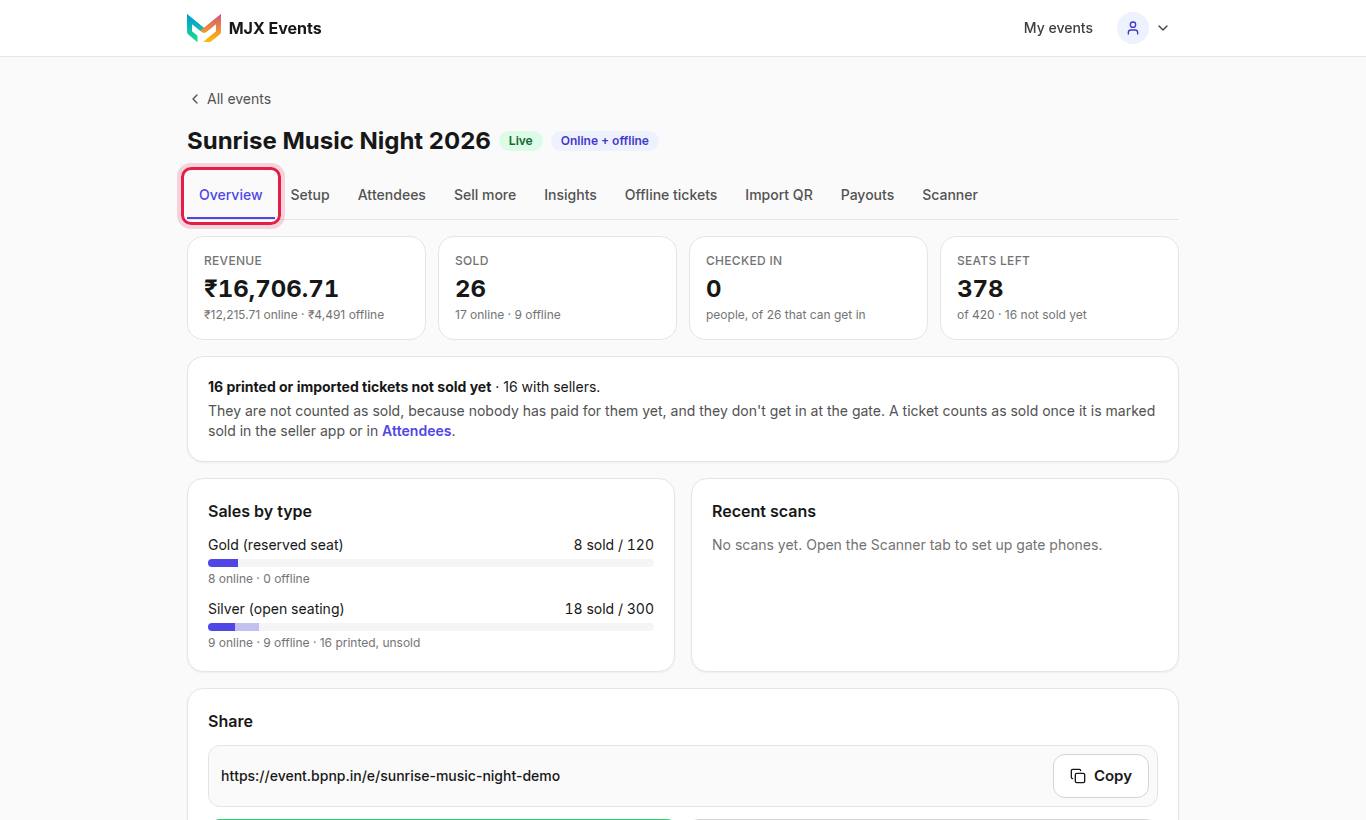
#What the Overview shows
| Card | What it means |
|---|---|
| Sold | Online tickets plus printed passes marked sold |
| Revenue | Money from sold tickets |
| Seats left | Seats not taken yet |
| Printed, not sold yet | Printed passes nobody has sold. "They are not counted as sold, because nobody has paid for them yet, and they don't get in at the gate." |
| Checked in | People in (not tickets), against people who can get in |
| Sales by type | Each ticket type, one line each |
| Check-ins per day | Multi-day events. "A day runs from 5 am to 5 am…" |
| Gate phones | Each scanner phone, online or not |
| People in today, by gate | When two or more gates scan |
| Recent scans | The latest scans, five in view, scroll for more |
The Share button and poster buttons sit here too.
#Insights (Pro)
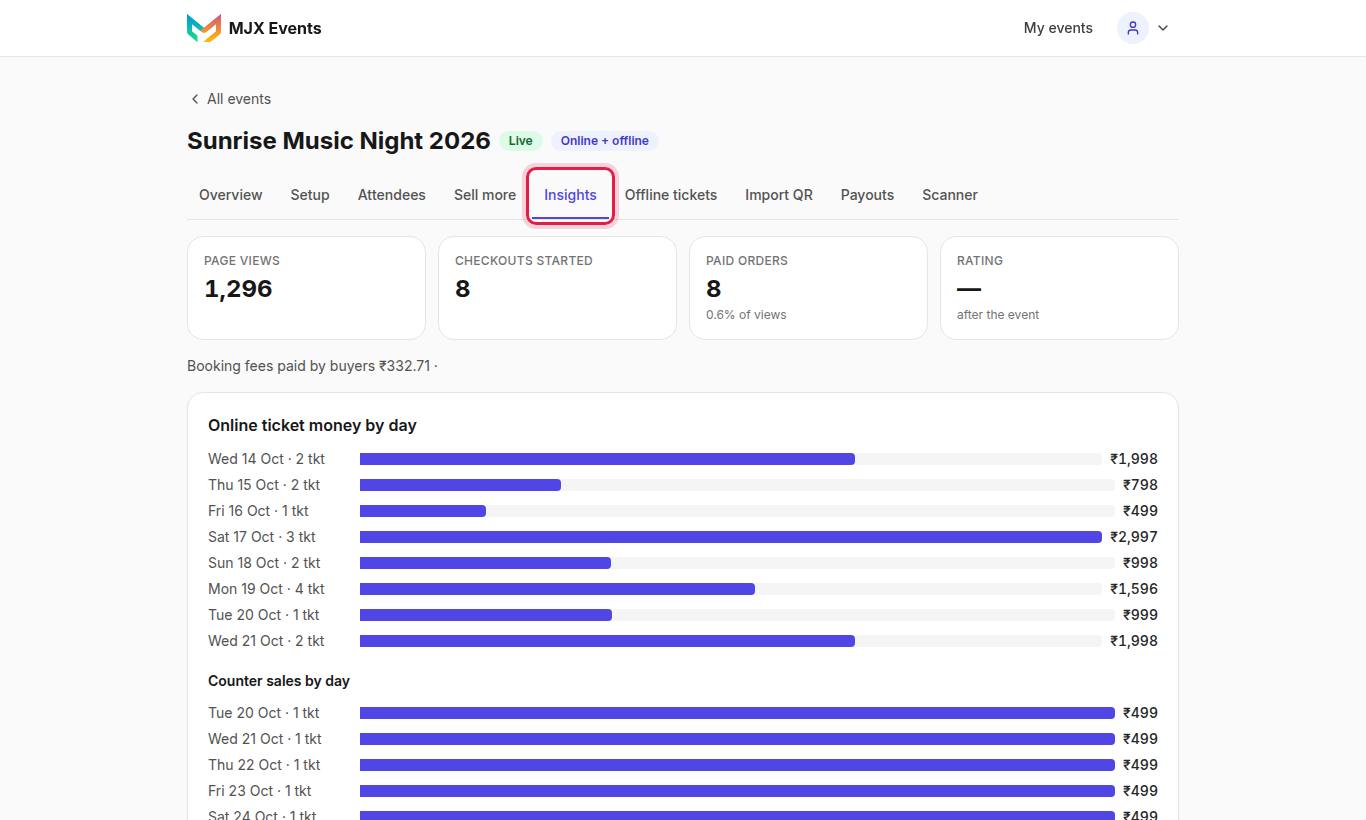
"See page views, checkouts and paid orders, sales by day, source and promoter, and entries per gate and hour."
| Section | What it shows |
|---|---|
| Page views → Checkouts started → Paid orders | How many people looked, started to book and paid |
| Online ticket money by day | Online sales per day |
| Counter money by day | Counter sales per day |
| Where buyers came from / Ticket money by source | Sources such as WhatsApp share, poster, promoter, counter, announcement |
| Tickets sold by type | Online and counter, per type |
| Promoters | Promoter, Orders, Ticket money, Commission |
| People in, by gate / People in, by hour | Entry flow at the gates |
| Rating | The average 1–5 rating from the thank-you message |
Also shown: waitlist, discounts and booking fees.
#How to track where buyers came from
Add ?utm_source=name to any link you share, for example ?utm_source=instagram. MJX Events marks its own links by itself: the buyer's WhatsApp share card, the WhatsApp Status poster, the A4 poster and the shared event link each show as their own source.
#Questions people ask
Why are printed tickets not counted as sold?
A printed pass only reserves a seat. It counts as sold once it is marked sold in the seller app or in Attendees, because only then has someone paid for it.
How do I see sales from Instagram?
Add ?utm_source=instagram (or any name) to the link you share. Insights → Where buyers came from then shows it.
What does "Checked in today" mean?
On a multi-day event the counter shows people in today, against the people who can get in today.