
Your event page, posters and sharing on WhatsApp
What buyers see on your MJX Events event page, how to share the booking link on WhatsApp, make Status and A4 posters, and use your organizer page.
Every published event in MJX Events has its own booking page at /e/your-event. You share that link, or posters that carry a "Scan to book" QR, and buyers book from their phones.
#What buyers see on the event page
- Cover picture, title, a calendar-style date tile with Google Calendar and Apple / Outlook buttons
- Venue with Open in Maps, and the description
- Organised by — your business name (from your payout details, else your name), linking to your page
- Tickets with prices, early-bird badges, "Only N left", and the total with Buy (Get passes on a free event)
- Your event photos and videos, and Past events by [you]
- An English / Hindi switch, when MJX has it on
On a computer the tickets sit on the right and stay in view; on a phone everything is one column.
#How to share the event link
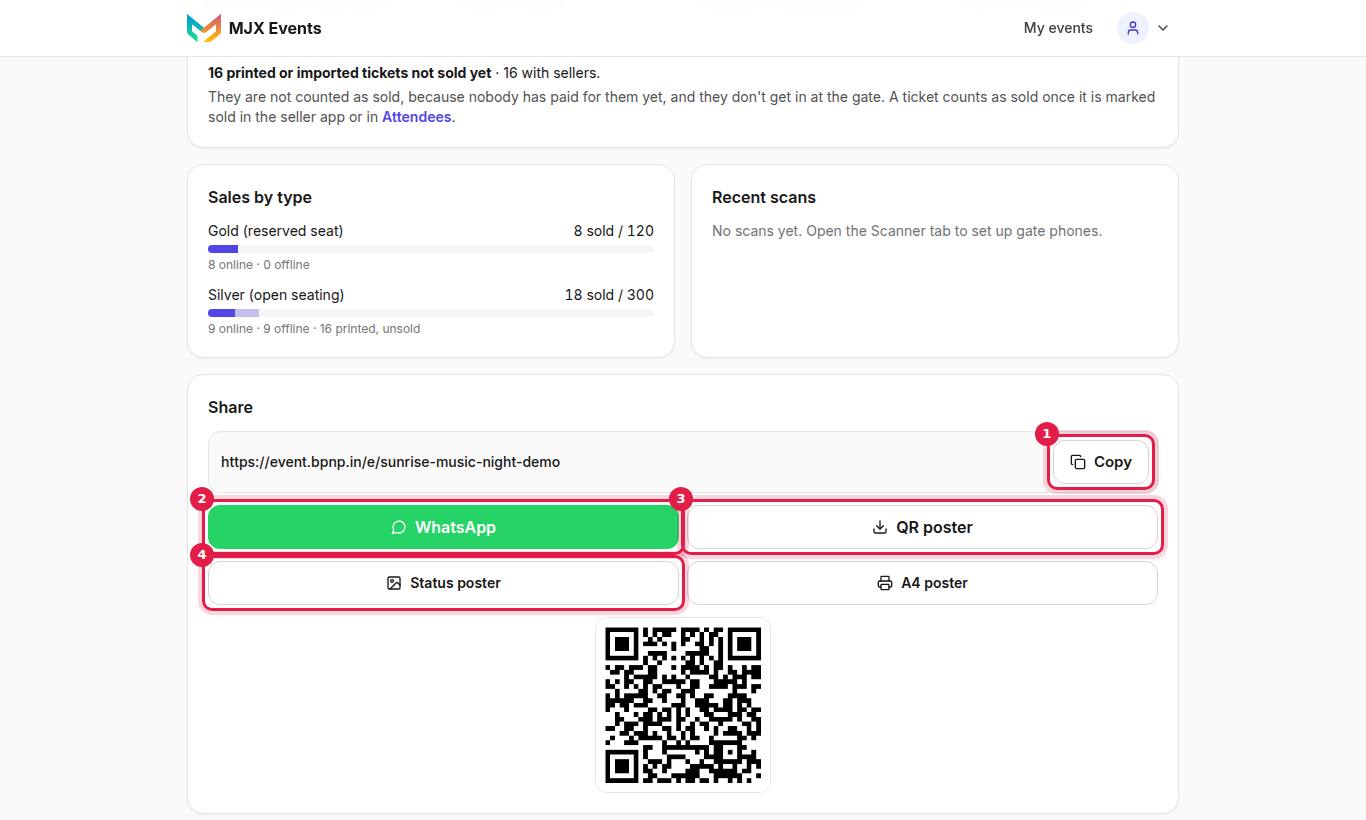
The share box has:
| Button | What you get |
|---|---|
| Opens WhatsApp with the event link | |
| QR poster | A QR of the booking link |
| Status poster | A 1080 × 1920 picture for WhatsApp Status: "GET YOUR PASSES", "Passes from ₹…" and a "Scan to book" QR |
| A4 poster | The same poster to print |
Each is counted separately in Insights, so you can see which one brought bookings.
#Your organizer page
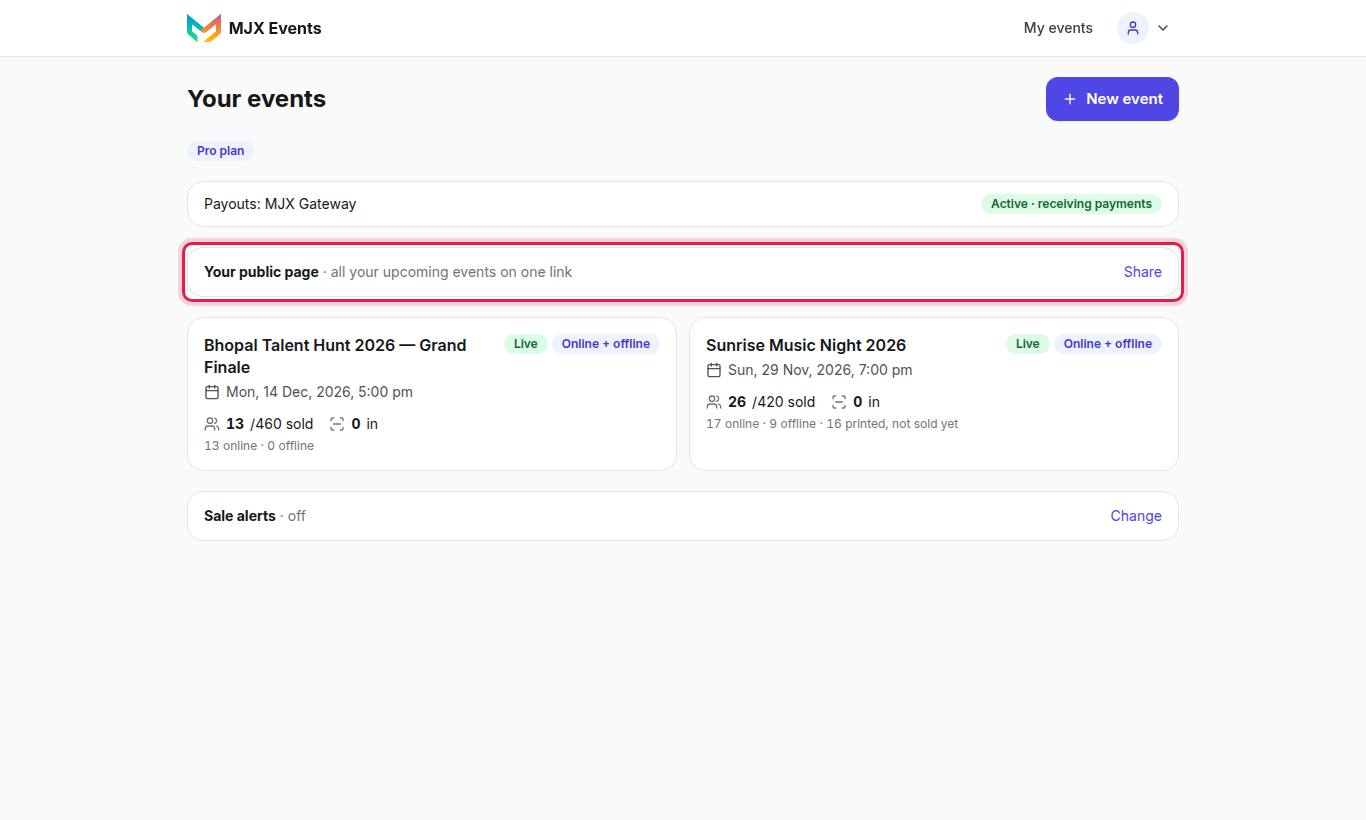
Your public page (/o/your-name) lists all your upcoming events on one link — "all your upcoming events on one link". Tap Share to send it. Buyers reach it from Organised by → All their events.
#City pages
Published upcoming events also appear on Events and on pages such as Events in Indore (/events/indore). You don't need to do anything.
#The buyer's own share card
After paying, buyers can tap Share on WhatsApp on their order page. They get an "I'M GOING!" picture for their WhatsApp Status with a "Join me!" QR to your event. Bookings from it show as a source in Insights.
#The app link for posters
Want people to install the app? Use event.mjxtechnologies.com/app. On Android it opens the MJX Events app or the Play Store.
#Questions people ask
Will my event show on Google?
Published events on the Live site are open to search engines, and also listed on your organizer page and the city pages. Google takes time to index a new page.
Which price does the poster show?
It shows Passes from ₹… — the lowest current price with seats left, early bird included.
Can staff make posters?
Yes. Posters and the share link are on every plan, and team members can use them.