
Counter sales — cash, UPI and card at the box office
Sell tickets at the counter in MJX Events — record a sale, send the ticket on WhatsApp, use a UPI QR sale, or let buyers pay your own UPI ID.
A counter sale is a ticket you sell in person and are paid for directly. In MJX Events you record it against a printed ticket (or let the buyer pay by UPI QR), and the buyer gets the ticket on their phone.
#How to record a counter sale
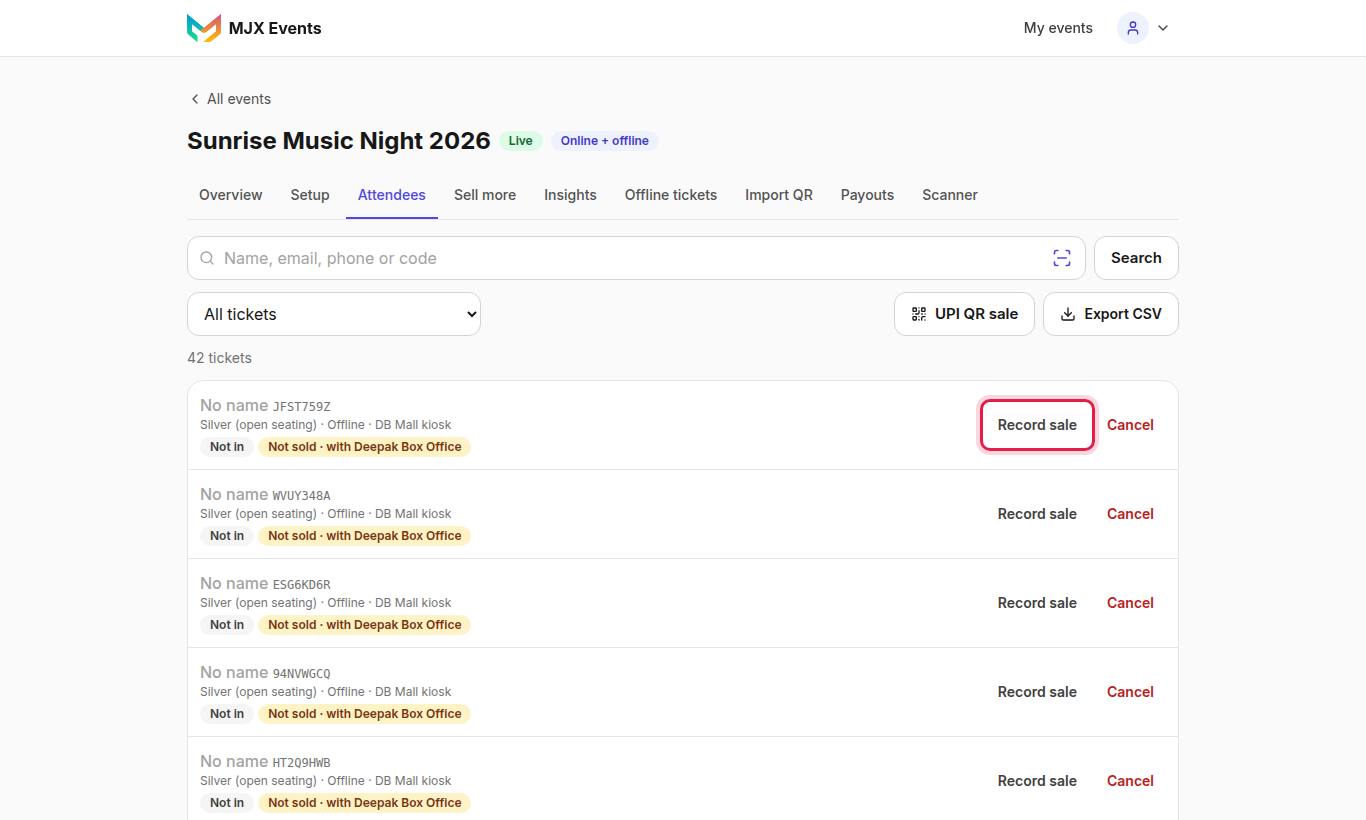
- Find the ticket in Attendees (search its code), or tap Scan a printed ticket — "Point the camera at the ticket's QR. It opens Record sale for that ticket."
- Check Amount ₹ and choose Paid by: Cash, UPI, Card, Other or Free pass.
- Type the buyer's mobile — Buyer mobile (required) for event-QR tickets, optional otherwise. "Ticket PDF goes on WhatsApp."
- Optional: Buyer name (optional), Buyer email (optional) ("Ticket PDF is emailed too."), Stub number (optional).
- Tap Save sale.
For event-QR batches you can also use Offline tickets → Sell next.
#Undo a sale
Open the ticket → Edit sale → Mark as unsold. This clears the seller, buyer name and mobile. A ticket already used at the gate can't be unsold until its check-in is undone.
#UPI QR sale (Pro)
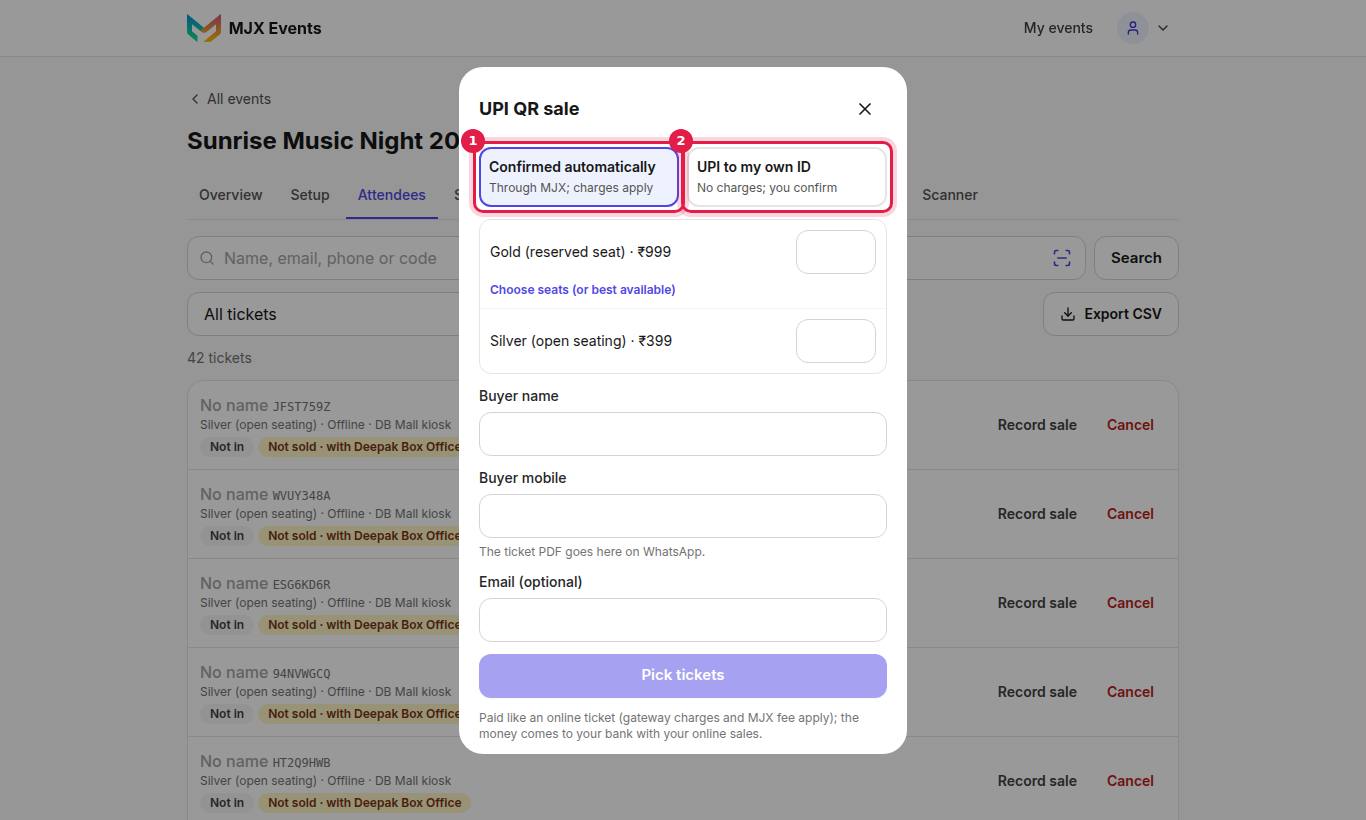
The buyer pays on their own phone and the ticket is issued by itself.
- Tap UPI QR sale, pick the tickets (and seats, if seated: Choose seats (or best available)).
- Fill in Buyer name, Buyer mobile ("The ticket PDF goes here on WhatsApp.") and Email (optional).
- Choose How the buyer pays (when both ways are open):
| Way | How it works | Charges |
|---|---|---|
| Through the payment gateway | "Ask the buyer to scan this in PhonePe, Google Pay, Paytm or any UPI app and pay." The screen turns green by itself. | "Paid like an online ticket (gateway charges and MJX fee apply); the money comes to your bank with your online sales." |
| Your own UPI ID | The QR pays your UPI ID. "Check your own UPI app or soundbox", then tap Payment received | "The buyer pays your UPI ID directly: a counter sale, no gateway charges and no MJX fee." |
"The seats are held for 10 minutes." Tap Not paid · cancel to give them back at once. After 10 minutes: "The payment ran out (10 minutes). Start again." Then Next sale.
#Set up your UPI ID or payment QR
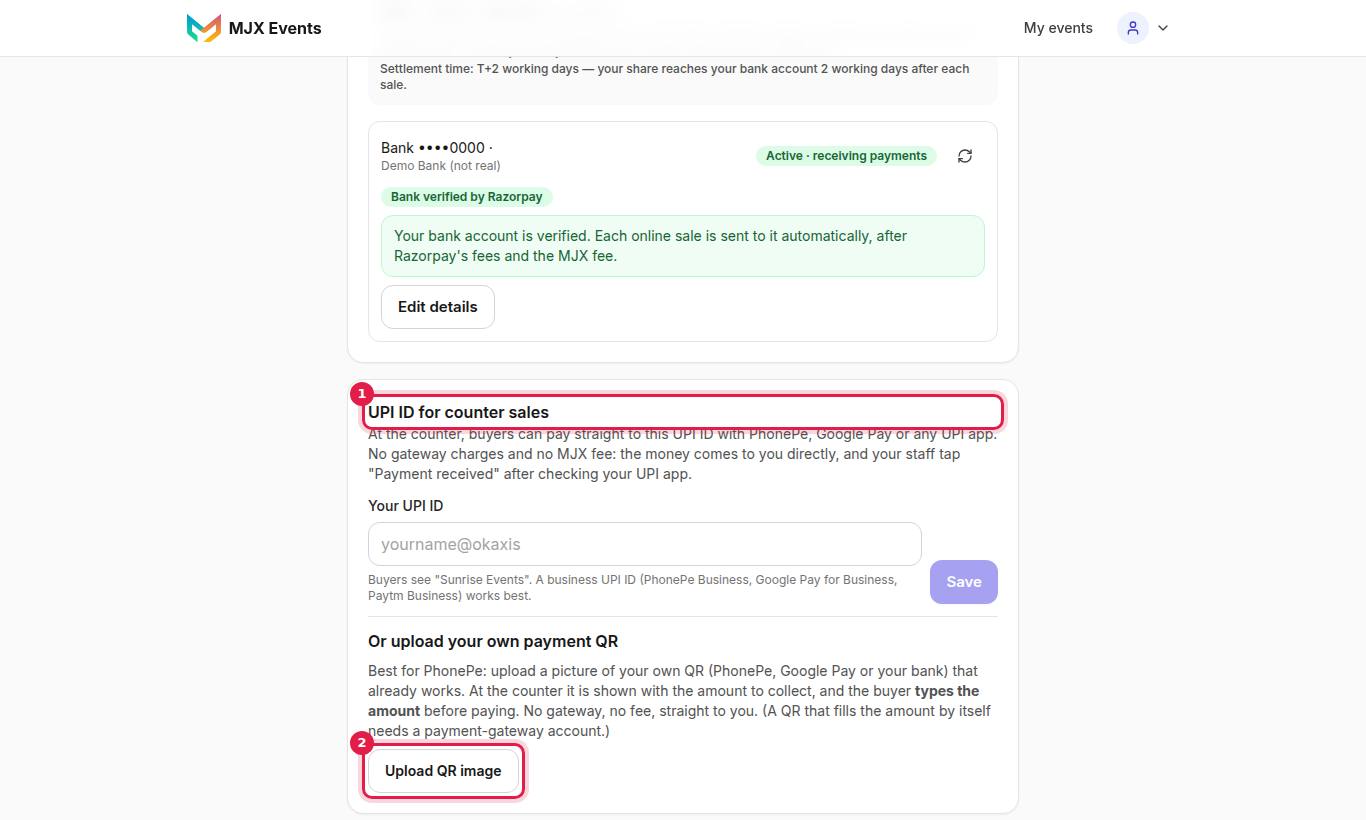
- Type Your UPI ID (e.g. "yourname@okaxis") and save.
- Tap Test my QR (₹1) and scan it from someone else's phone — a UPI app won't let you pay your own UPI ID.
- Or use Or upload your own payment QR: "Best for PhonePe: upload a picture of your own QR (PhonePe, Google Pay or your bank) that already works." At the counter it shows with the amount to collect, and the buyer types the amount.
If the counter screen says "The organizer has to add a UPI ID under Get paid first.", add it as above.
#Where counter money shows
The event's Payouts tab: Tickets sold at the counter, Money already with you, To collect from sellers and How buyers paid. See Payouts and settlements.
#Questions people ask
Is there an MJX fee on counter sales?
No. "Money you collected yourself. No MJX fee on counter sales." A UPI QR sale through the payment gateway is the exception — it is paid like an online ticket.
How does the buyer get a ticket?
Type the buyer's mobile and the ticket PDF goes on WhatsApp; add an email and it is emailed too.
Why does PhonePe say my UPI QR is invalid?
Check the UPI ID letter by letter, or use a business UPI ID. Or upload a picture of your own working payment QR under Get paid.