
Shortlist, judges, rounds and the winner
Shortlist talent hunt entries on WhatsApp, add judges, enter marks out of 10 each round, eliminate one contestant per round and choose the winner.
After registrations, you shortlist the best entries, add your judges, and run the rounds. In MJX Events the marks of every judge are averaged, the lowest average is highlighted, and you decide who goes out.
#How to shortlist an entry
- Open Entries and tap a New entry.
- Tap Shortlist & send WhatsApp. "Shortlisted. WhatsApp message sent."
The contestant gets a WhatsApp message from MJX Events with their registration number. If WhatsApp is switched off on MJX Events, "no message went automatically" — tap Send on WhatsApp yourself ↗ to send the same words from your phone. Undo shortlist moves them back to New; Send WhatsApp again resends.
#How to add judges
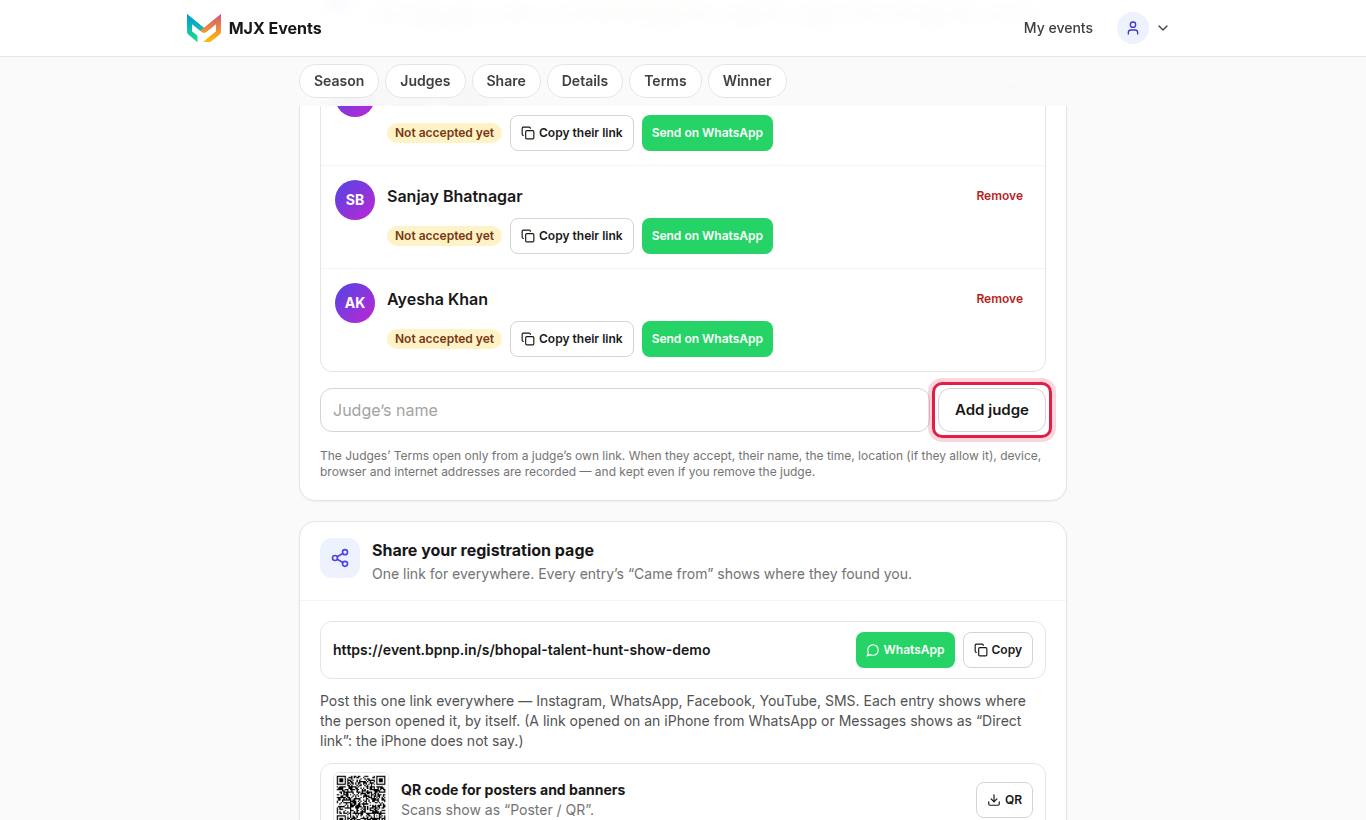
- Type the Judge's name and tap Add judge.
- Send them their own link with Send on WhatsApp or Copy their link.
- The judge opens it and accepts the Judges' Terms. Their status changes from "Not accepted yet" to accepted, with Download signed terms (PDF).
"Each judge gets a column on the Rounds page and accepts the Judges' Terms through their own link." Removing a judge deletes their marks, but their acceptance is kept.
#How to run a round
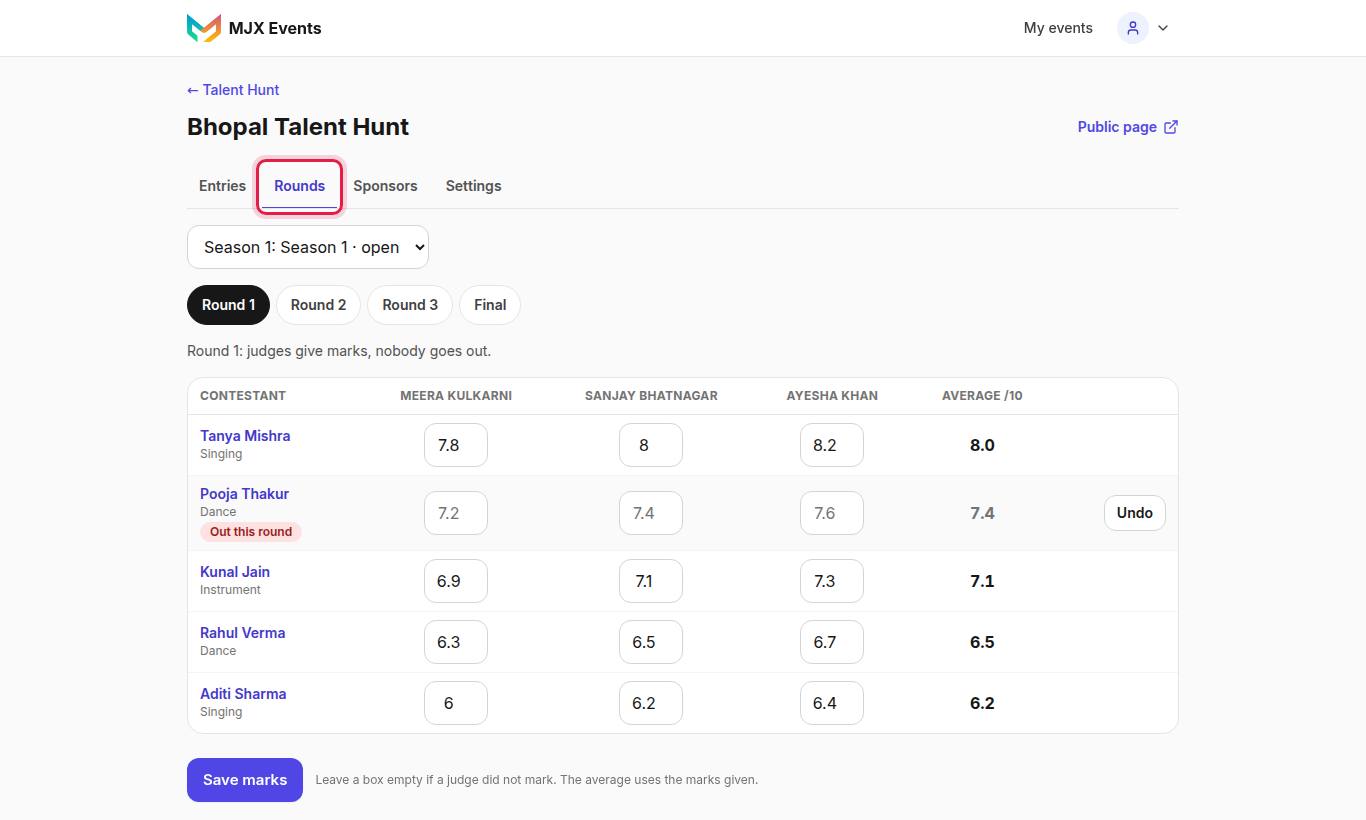
| Round | Rule on screen |
|---|---|
| Round 1 | "Round 1: judges give marks, nobody goes out." |
| Middle rounds | "Give marks, then eliminate one contestant. The lowest average is highlighted — you decide." |
| Final | "Final: give marks, then choose the winner." |
| One round only | "One-day competition: judges give marks, then choose the winner." |
- Type each judge's mark out of 10 for each contestant. The table shows Average /10 and marks the Lowest.
- Tap Save marks.
- In a middle round, tap Eliminate on one contestant and confirm. They show Out this round.
- In the final, choose the winner and confirm "Save marks and make [name] the winner?".
Shortlist contestants first — "Shortlist contestants from the New entries first." — and add judges before marking.
#After the final
The winner's entry photo becomes their winner photo unless you upload one under Settings → Winner. While a later season takes entries, they show under Past winners on the registration page.
#Questions people ask
Do judges mark on their own phones?
Not yet. Judges accept their terms on their own link; the organizer enters each judge's marks on the Rounds page.
What if a judge did not mark someone?
Leave a box empty if a judge did not mark. The average uses the marks given.
Can I undo an elimination?
Yes. Tap Undo on the round.