
Quickstart for ticket buyers
How to book an event pass on MJX Events, pay by UPI or card, get your QR ticket and show it at the gate. No account needed.
On MJX Events you book a pass on the event's own page, pay by UPI or card, and get a QR ticket at once. No account and no app are needed.
#Open the event page
Use the link the organizer shared, or find the event on Events (you can pick your city).
#Pick your tickets
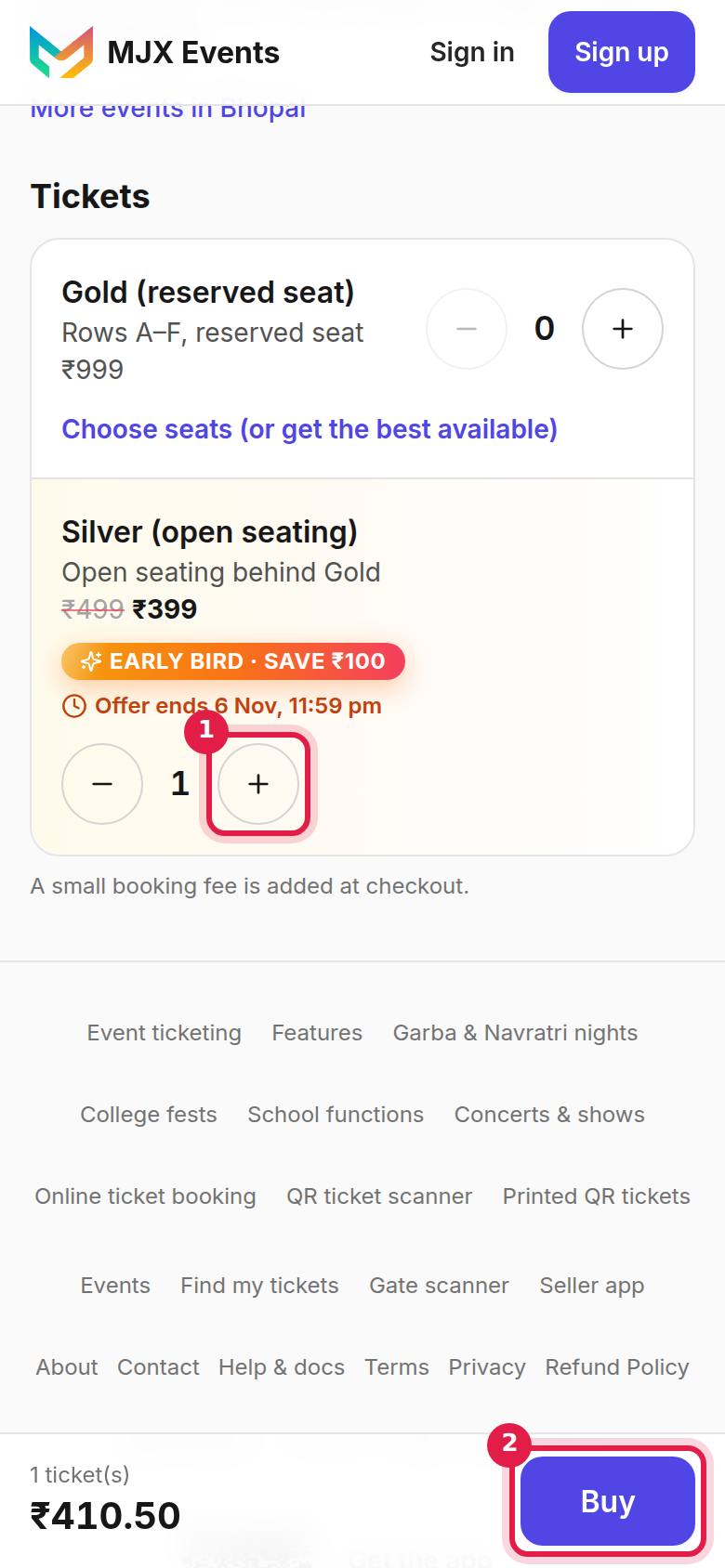
Under Tickets, choose how many of each type you want and tap Buy (Get passes on a free event). A Couple or Family ticket says how many people it admits.
#Fill in your details
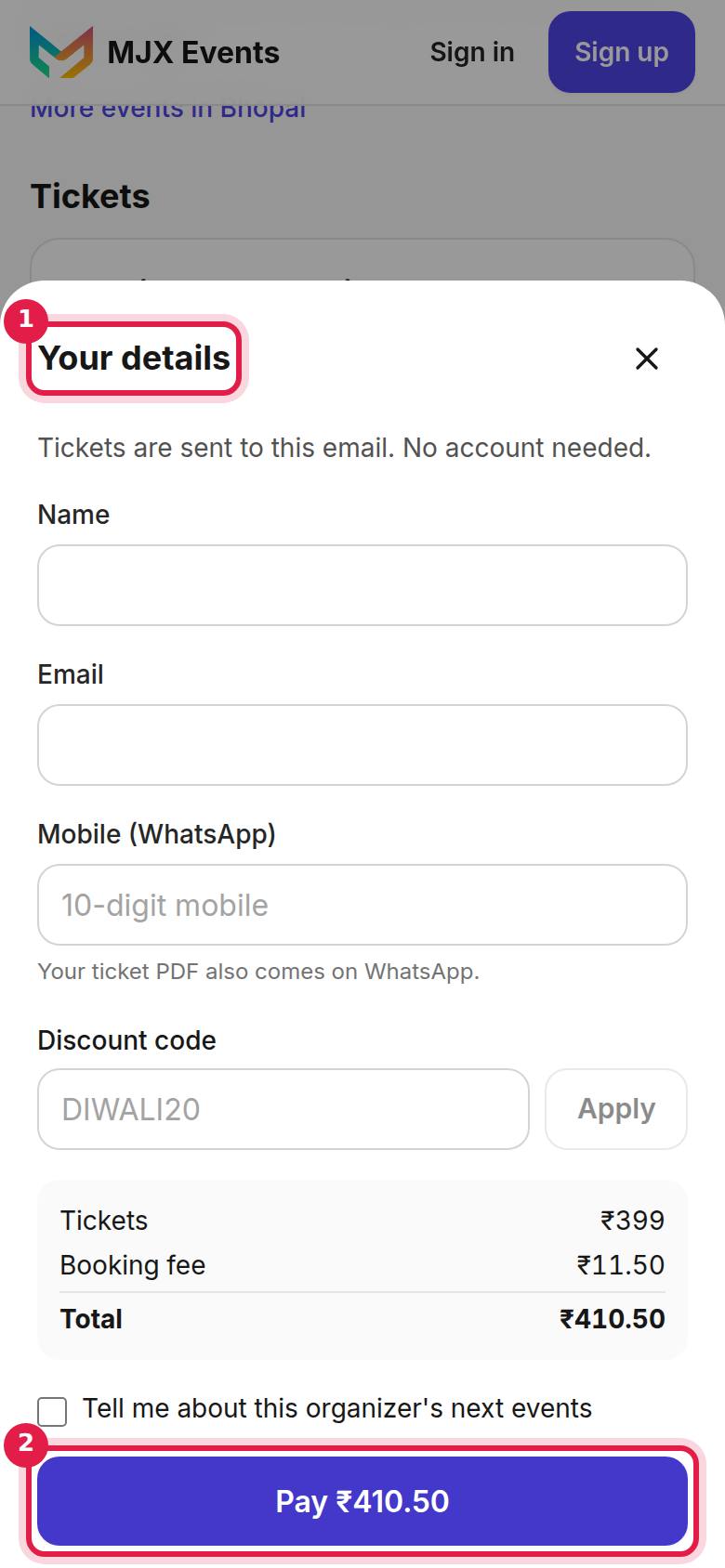
Under Your details give your Name, Email and Mobile (WhatsApp). "Tickets are sent to this email. No account needed." Some events also ask a few questions or the name of each person.
#Pay
Tap Pay ₹… and pay in the payment window by UPI, card, net banking or wallet. A free event shows Get my passes instead.
#Get your QR ticket
The page shows "You're in!" with your QR. The tickets also come by email as a PDF, and on WhatsApp on most events.
#Show the QR at the gate
Open the email, the PDF or the order page and show the QR. "Show the QR at entry. Each QR works once — don't share it."
#Lost your ticket?
Open Find my tickets, enter the email you used when buying and tap send. "If that email has tickets, a link is on its way. Check your inbox (and spam)." The link opens all your tickets and works for 24 hours.
#More help
#Questions people ask
Do I need to create an account to buy a ticket?
No. You only give your name, email and mobile. The tickets are sent to that email, and the PDF also comes on WhatsApp on most events.
I lost my ticket email. How do I get it back?
Open Find my tickets, enter the email you used and we send you a link to all your tickets. The link works for 24 hours.
Can I show the ticket on my phone?
Yes. Show the QR from the email, the PDF or the order page. Each QR works for one entry.