
Discount codes, promoter links and announcements
Sell more tickets in MJX Events with discount codes, promoter links that track each promoter's sales, and one announcement to past buyers.
The Sell more tab gathers three Pro tools (by default): discount codes, promoter links and an announcement to buyers of your earlier events.
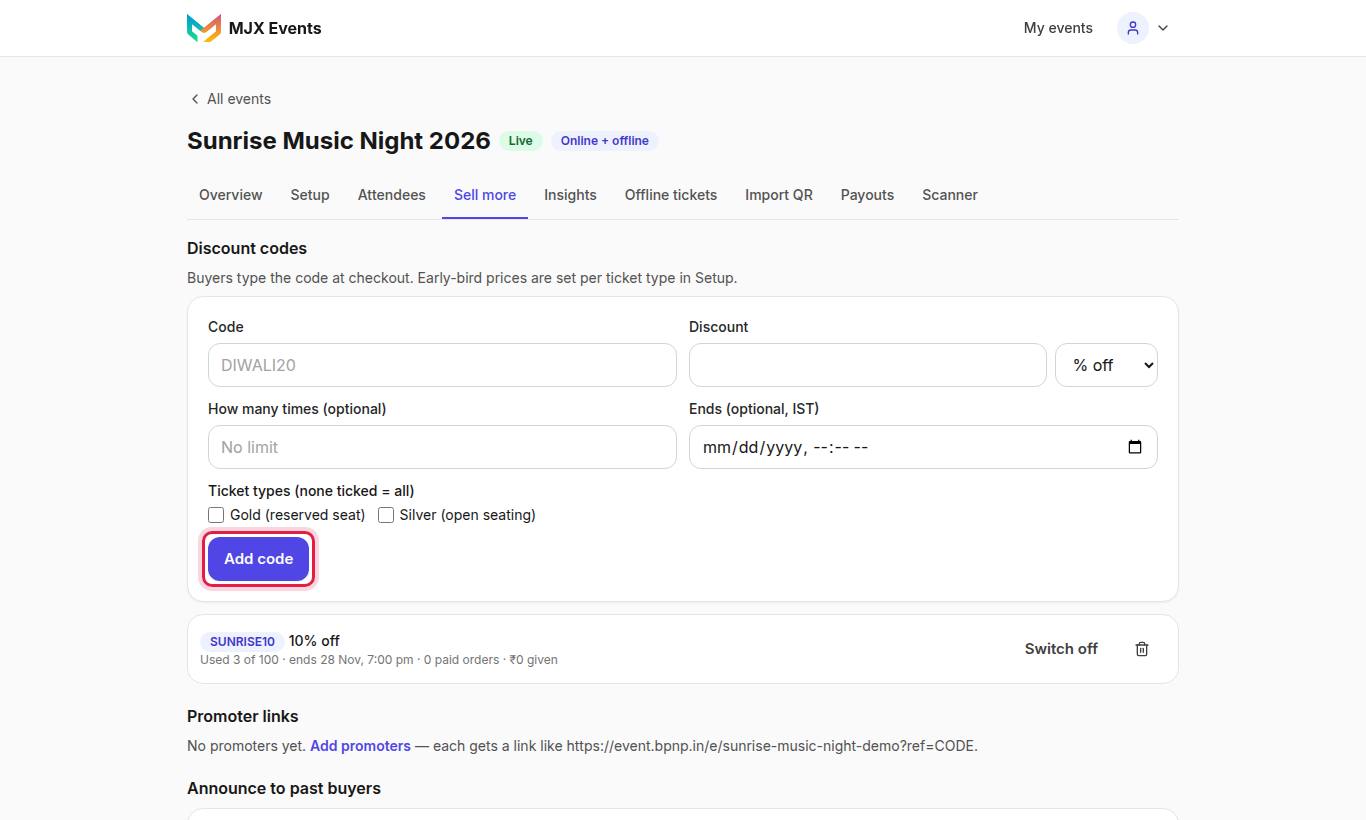
#How to add a discount code
- Open Sell more and go to the discount codes card.
- Fill in Code (for example "DIWALI20") and the Discount, and choose the Kind: % off or ₹ off.
- Optional: How many times (optional) (empty = No limit), Ends (optional, IST), and Ticket types (none ticked = all).
- Save the code.
Buyers type it under Discount code on the event page and tap Apply. The total updates at once.
| Rule | Detail |
|---|---|
| Biggest discount | "A percentage can be at most 100." A 100% code makes a free order. |
| Limit reached | Buyers see "This code has been used up." |
| Unpaid order | An order that runs out unpaid gives its use back |
| Used code | Can't be deleted, only switched Off |
| Duplicate event | Codes are not copied |
#How to add promoters
Promoters are people who share your events — influencers, college reps, shops.
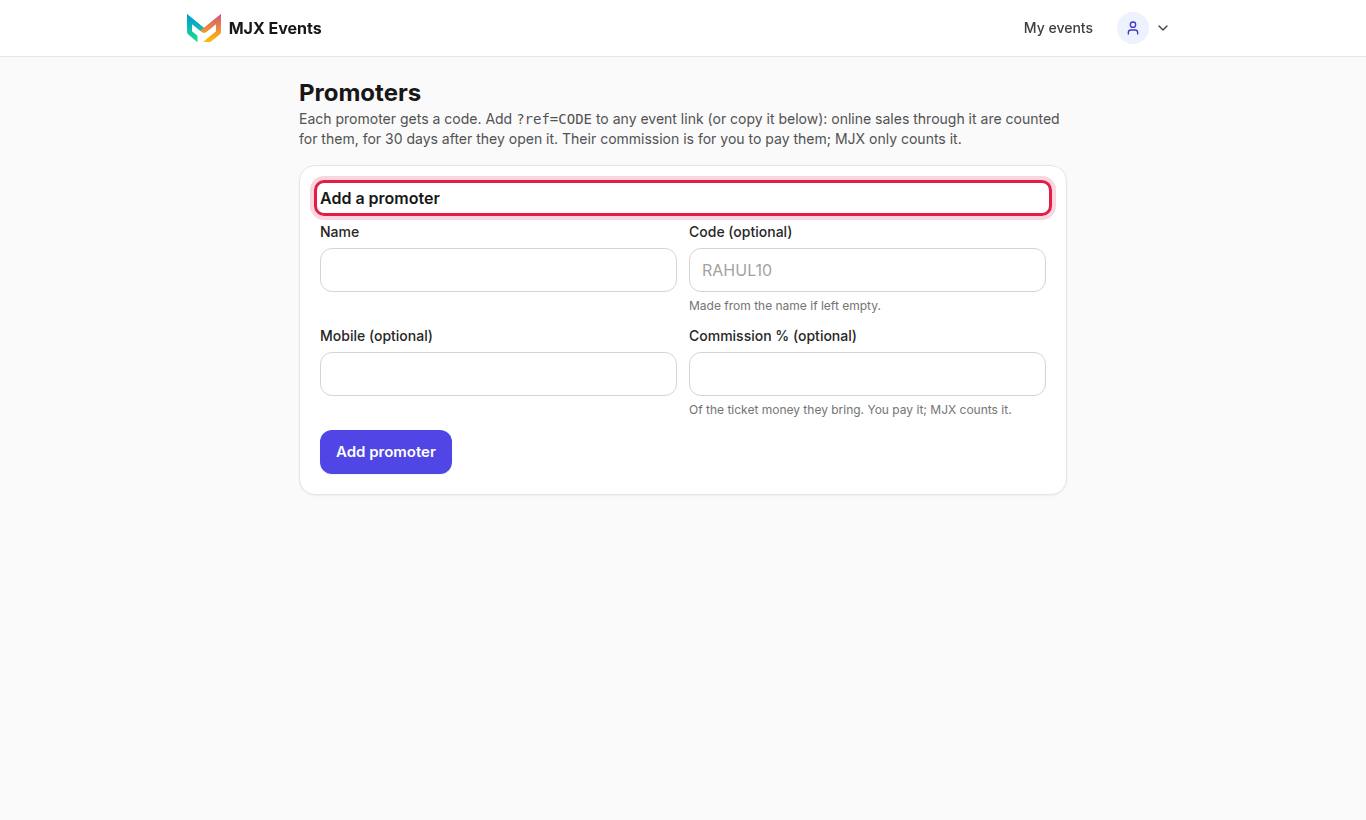
- Open Promoters and tap Add a promoter.
- Fill in the name, Code (optional) ("Made from the name if left empty", e.g. "RAHUL10") and Commission % (optional) — "Of the ticket money they bring. You pay it; MJX counts it."
- Use Links for to pick an event and Copy link.
The link looks like /e/your-event?ref=RAHUL10. Online sales from it are credited to that promoter for 30 days in that browser, on any of your events. The event page says "Recommended by [name]". Commission to pay in all shows the total you owe.
#How to announce an event to past buyers
Buyers of your other events who ticked "Tell me about this organizer's next events" can get one message about this event.
- Publish the event first.
- On Sell more, use Announce to past buyers and confirm "Send this event to N past buyers".
"Sending to N people now (email, and WhatsApp when its template is approved)." Each event can be announced once, and every email has a link to stop.
#Free tools that also help
- WhatsApp Status and A4 posters with a "Scan to book" QR — see Event page and sharing
- A waitlist on sold-out events — see Waitlist and reminders
- Early-bird prices (Pro) — see Ticket types and prices
#Questions people ask
Can I delete a discount code that was used?
No. A used code can only be switched off. A code that was never used can be deleted.
Does MJX pay my promoters?
No. The commission % is for you to pay. MJX only counts each promoter's sales and the commission due.
How long does a promoter link remember the buyer?
30 days in that browser, on any of your events.