
Plan and invoices — renew, upgrade and download GST invoices
Renew or upgrade your MJX Events plan, understand expiry and view-only mode, continue on Free, add your GSTIN and download GST invoices and credits.
Plan & invoices shows your plan and when it ends, lets you renew or upgrade, and keeps every GST invoice MJX has made for you. Only the account owner can open it.
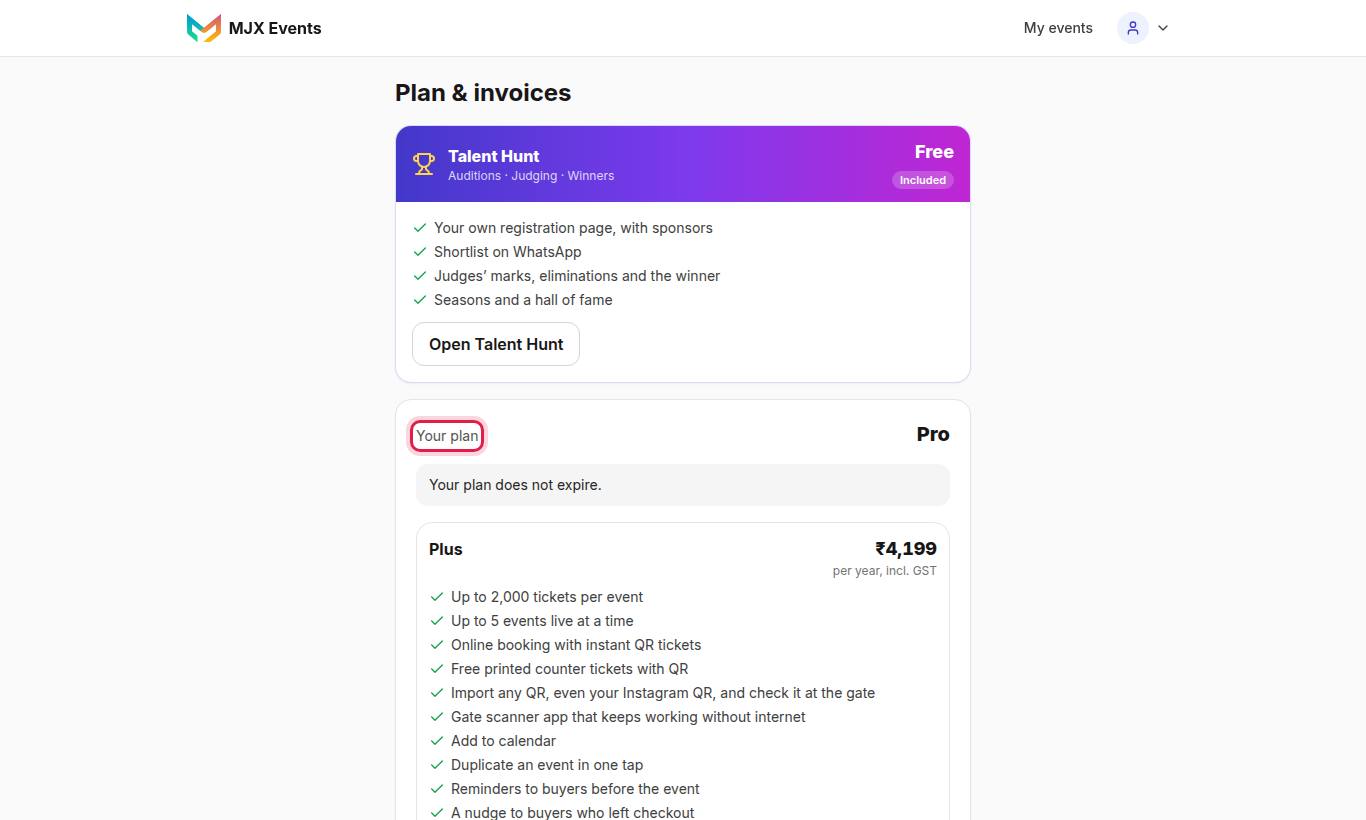
#Your plan
The top card, Your plan, shows the plan and its end date — or "Your plan does not expire." on Free. The plan cards below show what each plan includes, any offer ("Offer ends … — N days left, hurry!") and the price "Incl. GST. The receipt and a GST invoice come by email and below."
#How to renew or upgrade
- Open Plan & invoices.
- On the plan you want, tap the pay button (for example Pay ₹… · renew or Pay ₹… · upgrade).
- If asked "Choose how you want to pay.", pick a method, and pay in the payment window.
Free → Plus or Pro and Plus → Pro are upgrades. Paying adds the plan's days from your current end date (from today on Free).
#Expiry and view-only
- From 7 days before, a banner shows the date and Renew · ₹…. Emails go out 7 days and 1 day before.
- After the date: "Your MJX Events account expired on [date]. It is view-only and the gate scanner is closed until you renew it."
- View-only means no new events or edits, no online or offline sales, no imports, sellers can't sell, and the gate is closed.
- Still working: viewing everything, closing an event, Get paid, and payouts of earlier sales.
#Continue on the Free plan
After a paid plan expires you can tap Continue on the Free plan. "It never expires", with the Free plan's limits. It is shown only after expiry, so you never lose paid days by mistake.
#GST invoices
Under GST invoices: "An invoice comes for each plan payment, and every month for the MJX fee on your online sales (when it is above ₹0)." Each has PDF and Email. The page also shows the MJX fee so far this month.
#How to add your GSTIN
- Type Your GSTIN (optional) — "For a B2B invoice you can claim input tax on. Leave empty if you are not registered."
- Tap Save. "Saved. New invoices show your GSTIN."
#Ticket credits
When MJX charges for printed QRs, a credits chip shows next to your plan on Your events (for example "50 credits · 20 free"). Tap it for Ticket credits: credits left, bought and used by event, with Buy credits. "For all your events, not one event." See Printed tickets.
#Talent Hunt plan
A Talent-Hunt-only account shows "Talent Hunt plan · free. To sell tickets too, try ticketing free above, or choose Plus or Pro: paying switches ticketing on." See Talent Hunt.
#Questions people ask
Does renewing early waste days?
No. Paying adds the plan's days from your current end date if it is still ahead, or from today.
When does the MJX fee invoice come?
On the 1st of each month, for last month's MJX fee, when it is above ₹0. It is emailed with the PDF attached.
Can I buy a plan in the iPhone app?
No. Use the website or the Android app. The iPhone app shows your plan, its end date and invoices.