
Team members — Managers and Staff
Add Managers and Staff to your MJX Events account on the Pro plan — what each role can do, how they sign in and how to remove them.
Team members sign in with their own email or mobile and work in your account, so you don't share your sign-in. In MJX Events this is a Pro tool (by default), and only the account owner manages it.
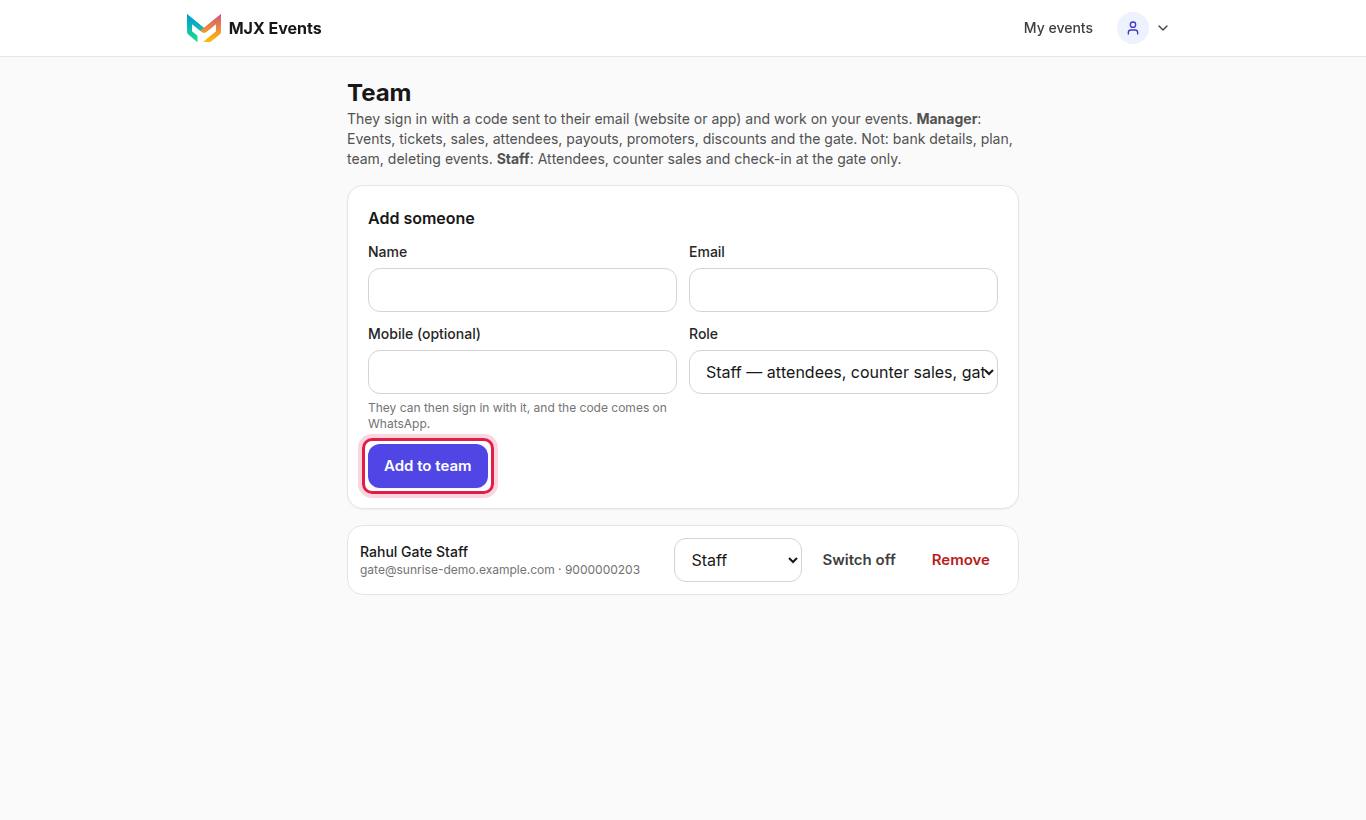
#Roles
| Role | On screen | Can do | Cannot do |
|---|---|---|---|
| Manager | "Manager — everything but money settings" | Events, Setup, attendees, sales, printed tickets, sellers, payouts view, Sell more, Insights | Bank details (Get paid), Plan & invoices, Team, deleting events |
| Staff | "Staff — attendees, counter sales, gate" | Overview, Attendees (check-in, record sale), offline tickets and the gate scanner | Setup, payouts, settings |
Gate staff who only scan don't need to be team members — give them the scanner PIN. See Check-in and scanning.
#How to add a team member
- Open Team.
- Fill in the name and email. Add Mobile (optional) — "They can then sign in with it, and the code comes on WhatsApp."
- Choose the Role: Manager or Staff.
- Tap Add someone.
#How team members sign in
They open ~/login?team=1 ("You are on an organizer's team. Sign in with a code sent to your email.") or the app's Organizer sign-in, and type the 6-digit code. They then see your events as their role allows.
#How to remove a member
Tap Remove next to them and confirm: "Remove [name] from your team? They are signed out at once."
#Messages you may see
| Message | Meaning |
|---|---|
| "Up to 25 team members." | Remove someone first. |
| "Already on your team." | That email is already a member. |
| "This email has its own MJX Events organizer account…" | Use a different email for this person. |
#Questions people ask
How many team members can I add?
Up to 25.
Can my team member use an email that already has its own MJX Events account?
No. "This email has its own MJX Events organizer account, so it signs in to that account. Use another email for your team."
What happens if I move off Pro?
Team members are signed out. Team is a Pro tool by default.