
Pay for event tickets (UPI, cards, net banking)
How payment works on MJX Events — UPI, cards, net banking and wallets, the booking fee, free tickets, counter UPI QR payments and failed payments.
On MJX Events you pay for online tickets in a secure payment window from MJX's payment partner (Razorpay or Zoho Payments). You never pay the organizer's bank directly online, and your ticket is issued as soon as the payment is confirmed.
#How to pay
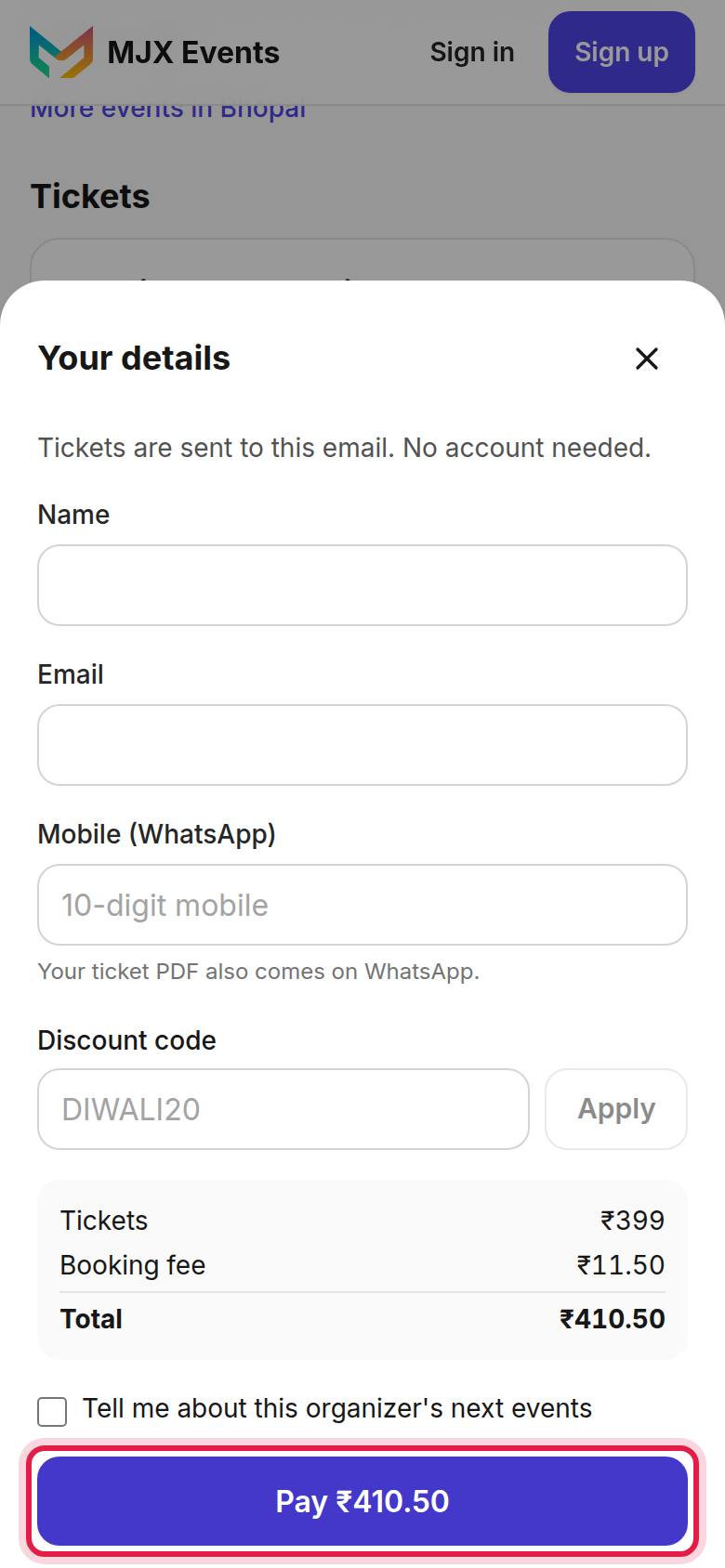
- Tap Pay ₹… after filling in your details.
- If the page asks "Choose how you want to pay.", pick UPI, card, net banking or wallet first.
- Pay in the window that opens. UPI usually shows a QR or your UPI apps.
- Wait on the page. It shows "You're in!" with your tickets.
#What is the booking fee?
Some organizers ask buyers to pay the payment charges on top. You then see either:
- "A small booking fee is added at checkout." — a Booking fee line above the Total, or
- "Prices include the booking fee." — the fee is already inside each ticket price.
Either way the total is shown before you pay.
#Free tickets
If every ticket you picked is free (or a discount code makes it ₹0), the button reads Get my passes and no payment window opens.
#Paying at the counter with a UPI QR
At some events the counter staff show you a QR. Scan it with PhonePe, Google Pay, Paytm or any UPI app and pay the amount shown. Some counters use a pay page that says Pay in your UPI app: "The ticket comes to your WhatsApp once paid." A counter QR runs out after 10 minutes: "This payment ran out. Ask at the counter for a new QR."
#If something goes wrong
| What you see | What to do |
|---|---|
| "Waiting for payment confirmation… this page updates by itself. If you paid, your tickets will also arrive by email." | Keep the page open for a minute. |
| "Payment failed. You were not charged. Try again." | Try again, or use another method. |
| "This order was not paid. No tickets were issued. You can buy again from the event page." | The payment did not finish. Book again. |
| "Could not load the payment window. Check your connection and try again." | Check your internet and try again. |
| "Booking is closed for this event." | Sales closed while you were booking. |
A payment that never completed is usually returned to your account by the payment partner or your bank automatically. For a failed or duplicate charge, contact MJX support with the payment ID. See Cancellations and refunds.
#Questions people ask
Which payment methods can I use?
UPI, cards, net banking and wallets, depending on the event. You pay in the window of MJX's payment partner, Razorpay or Zoho Payments.
My money was taken but I did not get a ticket. What now?
Wait a minute — the order page updates by itself and tickets also arrive by email. If nothing comes, contact MJX support with your payment ID.
Why is there a booking fee?
The organizer chose to pass the payment charges (and sometimes the MJX fee) on to buyers. It is shown before you pay.