
Printed QR tickets and passes (offline tickets)
Print QR tickets in MJX Events — a unique QR per ticket or one event QR, batches for sellers, Mark all sold, scratch-protected passes and credits.
Printed tickets are QR passes you print and sell at a counter, through shops or by hand. In MJX Events they use the same ticket types and seats as online sales, and the gate checks them the same way.
Publish the event first: "Publish the event first (Setup → Publish), then print tickets, give them to sellers or sell at the counter."
#How to print a batch
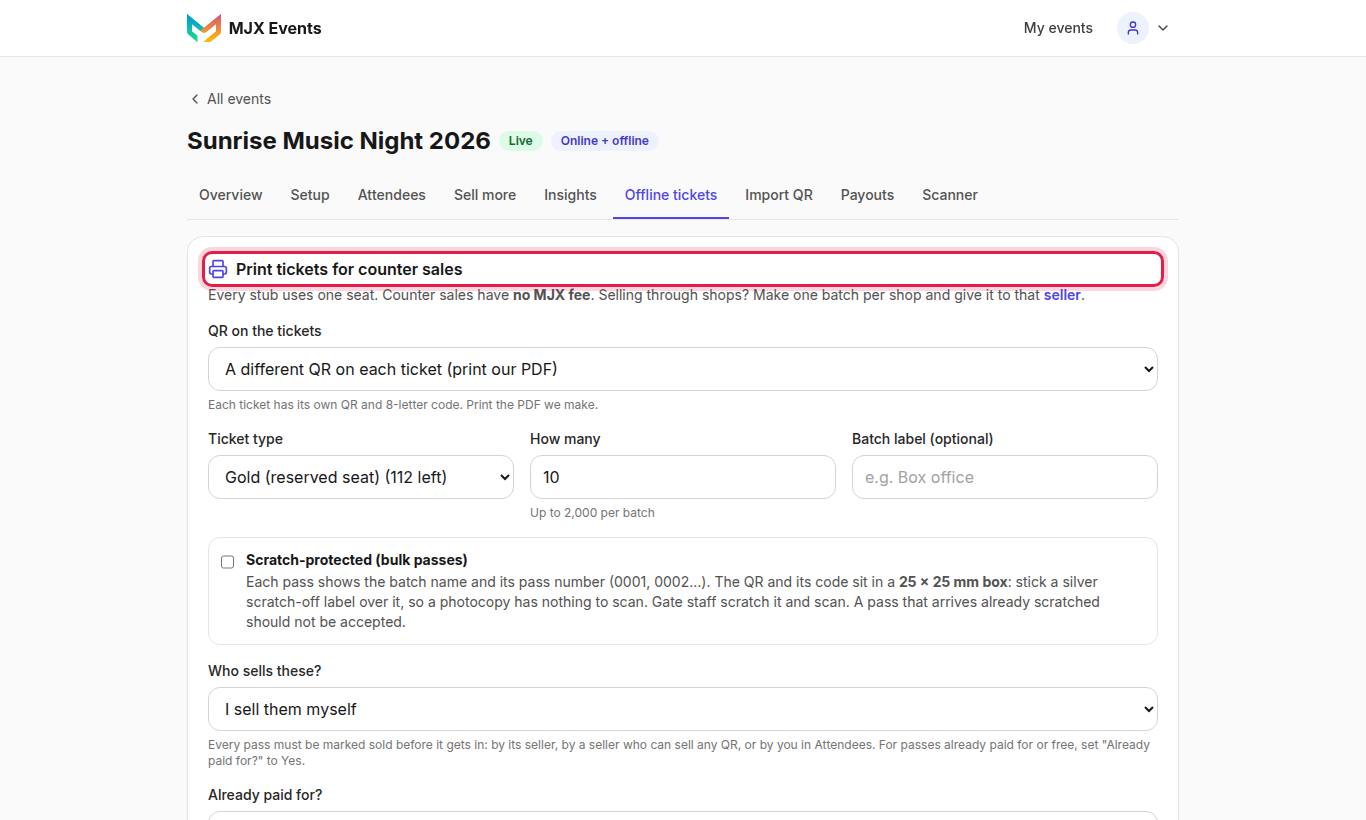
- Open Offline tickets. Under Print tickets for counter sales choose the Ticket type and How many ("Up to 2,000 per batch").
- Under QR on the tickets choose one:
- A different QR on each ticket (print our PDF) — "Each ticket has its own QR and 8-letter code. Print the PDF we make."
- One event QR on every ticket (your printer, code written at sale).
- Optional: tick Scratch-protected (bulk passes) (unique QRs only).
- Who sells these? — a seller, or I sell them myself. ("Giving tickets to shops or agents? Add sellers first.")
- Already paid for? — No — I'll record each sale later, or Yes — the whole batch is paid / free passes (then choose Paid by and ₹ per ticket).
- Tap Generate N tickets.
#Downloads
| Download | What it is |
|---|---|
| PDF ▾ → Designer tickets | "Your ticket design, 3 per A4 page, colour" |
| PDF ▾ → QR sheet | "Small QRs, 12 per A4 page" |
| ZIP of PNGs | One picture per ticket, for your printer |
| Your event QR → PNG, SVG, Sample ticket | The one event QR. "It never changes, so you can reprint any time. Keep it at least 25 mm wide." |
#Unique QR or event QR?
| A different QR on each ticket | One event QR on every ticket | |
|---|---|---|
| Printing | Our PDF or PNGs | Your own printer, the same QR on every ticket |
| Ticket code | 8 letters under each QR | 5 letters, written on the ticket when sold (Sell next) |
| Buyer mobile at sale | Optional | Required — the gate finds the ticket by code or mobile |
| Best for | Most events | Large print runs from a press |
#Selling the batch
- Sell next (event QR) — gives the next 5-letter code: "Write this code on the ticket".
- Mark all sold — sells the whole batch at once, for passes you hand out in bulk.
- Add buyer mobiles — for event-QR batches sold in bulk: "each ticket is found at the gate by its buyer's mobile, so add one mobile per ticket sold." One 10-digit mobile per line, or a CSV.
- Single tickets: Attendees → Record sale — see Counter sales.
A fully sold batch shows a green SOLD ribbon.
#Scratch-protected passes
For bulk passes handed to departments or groups. "Each pass shows the batch name and its pass number (0001, 0002…). The QR and its code sit in a 25 × 25 mm box: stick a silver scratch-off label over it, so a photocopy has nothing to scan. Gate staff scratch it and scan. A pass that arrives already scratched should not be accepted."
The Batch name (department) is required (e.g. "Police HQ"). Print at 100% so the box stays 25 mm.
#Group passes and seats
- A Couple or Family type prints one paper with a head count; the gate admits up to that many people.
- On a seated type, each stub gets the best seat in order, printed on it.
#Printed-QR price and ticket credits
MJX may set a price per printed QR. Offline tickets then shows it, for example Pay for printed QRs to make this batch, or a Credits line with Buy credits and History. When nothing is charged it says "Printing is free."
- When MJX charges per sold ticket, "Each printed ticket you sell uses one credit". Credits belong to your account, for all events.
- Free QRs that MJX gave you are used first.
- See your credits at Ticket credits.
If a sale needs a credit and none is left: "The organizer has no ticket credits left. Ask them to buy credits, then sell."
#Questions people ask
Is there an MJX fee on printed tickets?
No. Counter money is paid to you directly and never passes through MJX. MJX may charge a small price per printed QR; Offline tickets shows it, or "Printing is free."
Why does the gate say NOT SOLD for my printed pass?
Every printed pass must be marked sold before it gets in — by a seller, in Attendees, or with Mark all sold. This protects you from lost or taken passes.
How many tickets can one batch have?
Up to 2,000 per batch.
What is the difference between the two QR options?
The option A different QR on each ticket gives every ticket its own QR and 8-letter code in our PDF. One event QR on every ticket lets your own printer print one QR a thousand times; each ticket gets a 5-letter code written on it when it is sold.